Gernene's Project Portfolio Page
Project: TAssist
TAssist is a desktop app for Teaching Assistants to manage their students across different modules and keep track of students’ activities/participation in class. It is optimized for use via Command Line Interface (CLI). The user interacts with it using a CLI, and it has a GUI created with JavaFX. It is written in Java, and has about X kLoC.
Given below are my contributions to the project.
- New Feature: Added the ability to filter entity (module, class group, assessment, student) lists.
- What it does: Accepts an entity as a filter parameter for list commands. Class groups and assessments can be filtered by a specified module. Students can be filtered by a specified module or class group.
- Justification: This feature helps users find the information they need more quickly.
- Highlights: This enhancement affects existing commands. It required understanding of the way commands interact with models as well as consideration of the system’s architecture.
- New Feature: Contributed to multi-entity storage.
- What is does: Allows class groups and assessments to be stored.
- Contributed to JSON parsing for data storage.
- Justification: This feature allows TAssist to commit class groups and assessments to persistent storage.
- Highlights: This enhancement affects existing commands and commands to be added in future.
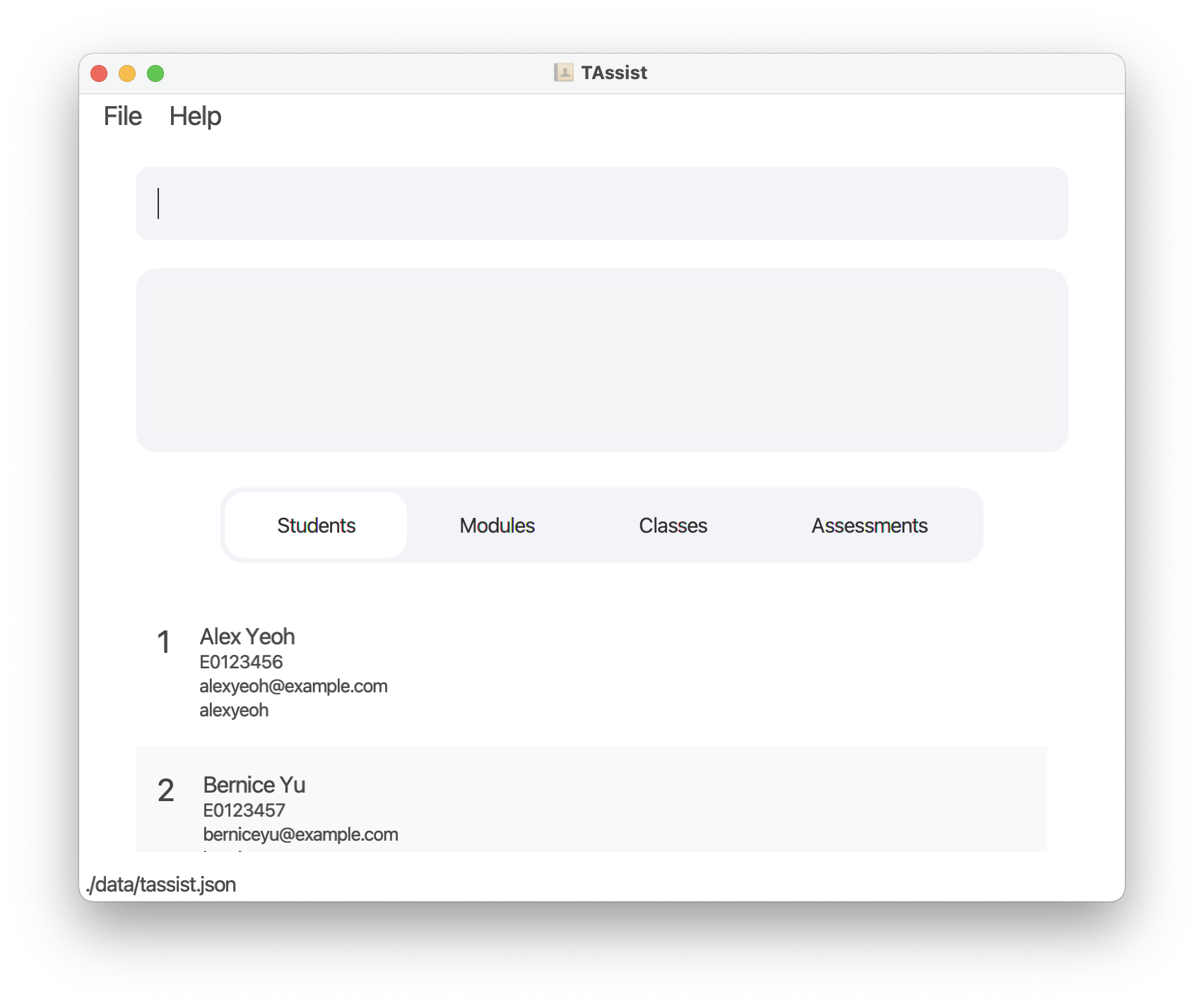
- New Feature: Added mutliple lists and toggles to GUI.
- What it does: Allows users to switch between their module, class group, student, and assessment lists by clicking the respective button.
- Justification: This feature lets users study data more efficiently by leveraging the UI to display information.
- Highlights: This feature was designed to accomodate more entities if necessary and required a good understanding of FXML and the system’s UI architecture.
- New Feature: Added attendance panel to GUI.
- What it does: Adds a “Check Absentees” button to each item in the class group list. Clicking the button opens a panel that lists absentees for each of those class group’s lessons.
- Justification: This feature helps users find information about their classes more quickly. It also gives them a comprehensive visualization of student performance in each class.
- New Feature: Added gradebook panel to GUI.
- What it does: Adds a “See Attempts” button to each item in the assessment list. Clicking the button opens a panel that lists students’ attempts that that assessment, particularly the grade they earned.
- Justification: This feature helps users find information about their classes more quickly. It also gives them a comprehensive visualization of student performance in each class.
-
Code contributed: RepoSense link
- Enhancements to existing features:
- Updated the GUI color scheme/overall styling
- Wrote additional tests for common classes (ex: ModelManagerTest)
- Created several entity-builders for testing sample data
- Documentation:
- User Guide:
- Modified feature list to serve the dual purpose of a step-by-step walkthrough.
- Reworked UG language to sound more “inviting” and “user-friendly”.
- Developer Guide:
- Wrote target user profile
- Contributed heavily to target user stories
- Added implementation details of the
listcommand. - Added UML diagrams for the
listcommand.
- User Guide:
- Team & Community: